
Microsoft 365 gives Canadian businesses a unified platform for email, collaboration, security, and cloud storage, all under one monthly subscription. That’s the short answer. The longer answer is that what Microsoft has built into 365 by 2025 goes well beyond Office apps, and most Toronto and Mississauga businesses are using maybe 30 percent of what they’re paying for.
If your team is still treating Microsoft 365 as just Outlook and Word, you’re leaving real productivity and security value on the table. This post breaks down what’s actually useful, what’s changed recently, and why Canadian businesses specifically have reasons to pay attention this year.
What’s Actually Inside Microsoft 365 in 2025?
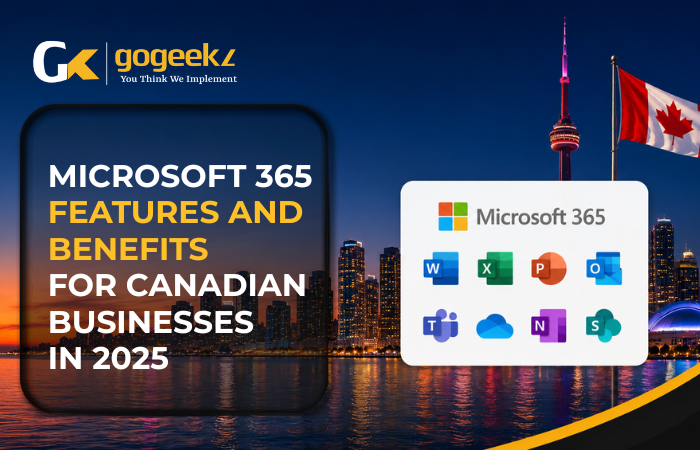
The suite has grown substantially since the old Office 365 days. A standard Microsoft 365 Business Premium subscription, which runs around CAD $28 per user per month, includes the full desktop Office apps, Exchange Online for email, SharePoint for document management, Teams for communication, OneDrive for cloud storage, Intune for device management, and Defender for Business as an endpoint security layer.
Microsoft Copilot is the biggest addition heading into 2025. It’s an AI assistant baked into Word, Excel, Outlook, Teams, and other apps. In Excel, Copilot can analyze a data set and surface trends without you writing a single formula. In Outlook, it drafts replies, summarizes long email threads, and flags action items. In Teams meetings, it produces real-time summaries and follow-up task lists.
Security Capabilities That Actually Matter for Small and Mid-Sized Businesses
Canadian businesses face the same threat landscape as anyone else, but with a layer of regulatory context that matters. PIPEDA compliance requires that organizations protect personal information, and if you’re in healthcare or financial services in Ontario, there are additional obligations around data handling. Microsoft 365 Business Premium addresses a lot of this through built-in tools.
Microsoft Defender for Business, included in Business Premium, provides endpoint detection and response across Windows devices. Azure Active Directory, now rebranded as Microsoft Entra ID, handles identity management. Microsoft Purview lets businesses apply sensitivity labels to documents.
How Does Microsoft 365 Change Day-to-Day Collaboration?
Most businesses in the Greater Toronto Area run some mix of in-office and remote work. SharePoint Online is the backbone of internal file management when set up correctly. OneDrive handles personal file sync and backup. Microsoft Loop is a newer addition that lets teams create collaborative components that embed live in Teams chats, Outlook emails, or standalone pages.
Canadian Data Residency and Why It Matters
Microsoft stores Canadian customer data in its Canadian data centers by default for core services. Exchange Online, SharePoint, OneDrive, and Teams all offer Canadian data residency. This matters for organizations subject to provincial privacy legislation, particularly Ontario’s health privacy rules or Quebec’s Law 25.
Licensing Options for Different Business Sizes
- Microsoft 365 Business Basic (CAD ~$7.90/user/month): Web and mobile versions of Office apps, Exchange email, Teams, SharePoint, and OneDrive.
- Microsoft 365 Business Standard (CAD ~$16.90/user/month): Everything in Basic plus full desktop Office apps and Teams webinars.
- Microsoft 365 Business Premium (CAD ~$28.10/user/month): Everything in Standard plus Intune, Defender for Business, Entra ID Premium P1, and Microsoft Purview.
What a Proper Microsoft 365 Deployment Actually Looks Like
Buying licenses and having a functional Microsoft 365 environment are two different things. A proper deployment starts with identity — Entra ID configured, MFA enforced, and conditional access policies in place. GoGeekz works with businesses across Toronto, Mississauga, Brampton, Markham, and Burlington on exactly this kind of deployment.
Frequently Asked Questions
Is Microsoft 365 data stored in Canada?
Yes, for Canadian tenants. Microsoft stores data for Exchange Online, SharePoint, OneDrive, and Teams in Canadian data centers by default.
What’s the difference between Microsoft 365 and Office 365?
Microsoft rebranded Office 365 to Microsoft 365 in 2020 and has steadily expanded what’s included — security tools, Copilot AI features, and compliance tools under Purview.
Does Microsoft 365 Business Premium cover antivirus?
It includes Microsoft Defender for Business, an endpoint detection and response solution that goes beyond traditional antivirus. For most small businesses, it replaces the need for a separate endpoint security product.
If your business is running Microsoft 365 but hasn’t gone through a proper security configuration, GoGeekz can run a Microsoft 365 environment assessment for businesses in Toronto, Mississauga, Brampton, Markham, and Burlington. Reach out to start that conversation.
Microsoft 365 is one of the most widely used platforms across the full spectrum of IT services Toronto businesses rely on for day-to-day productivity, security, and collaboration in 2025.