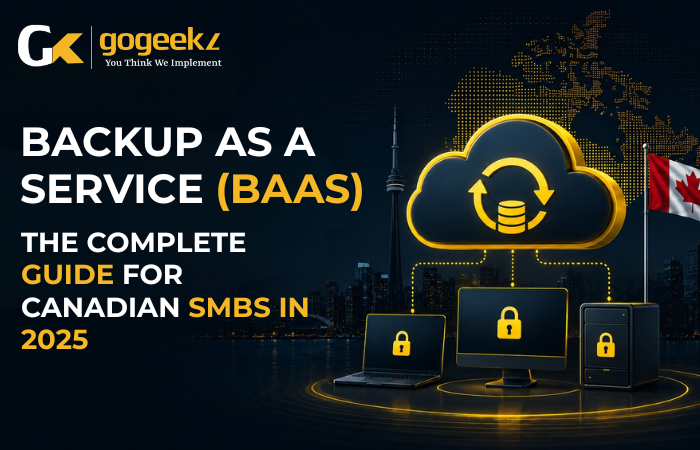

Backup as a Service, or BaaS, is a cloud-based data protection model where a third-party provider manages your backups automatically, storing copies offsite so your business can recover quickly after a ransomware attack, hardware failure, or accidental deletion. For Canadian small and mid-sized businesses, it’s one of the most practical ways to get enterprise-grade data protection without building the infrastructure yourself.
If you’ve been running on manual backups to an external drive, or relying on a single on-premise server to hold everything together, 2025 is the year to take a hard look at what you’d actually lose if that system failed tonight. The answer, for most businesses in the Greater Toronto Area, is sobering. A 2024 Veeam survey found that 76% of organizations suffered at least one unplanned outage in the prior year, and average recovery times without a managed backup solution stretched past 24 hours. For a 15-person accounting firm in Mississauga or a 40-person logistics company in Brampton, 24 hours offline isn’t just painful. It’s potentially business-ending.
What Backup as a Service Actually Does (And What It Doesn’t)
BaaS is not the same as cloud storage. Saving files to Google Drive or OneDrive gives you file sync, not true backup. The difference matters enormously when something goes wrong. Cloud sync copies whatever state your files are in, including corrupted or encrypted files after a ransomware attack. A proper BaaS solution takes point-in-time snapshots of your data, often multiple times a day, and stores versioned copies that you can roll back to before an incident occurred.
What BaaS typically covers includes servers, endpoints (laptops and desktops), Microsoft 365 mailboxes and SharePoint data, databases like SQL Server, and sometimes virtual machines running on platforms like VMware or Hyper-V. What it doesn’t cover, at least without specific configuration, is unstructured data sitting on personal devices employees use outside of the corporate environment, or applications that store data entirely in vendor-controlled silos without export access.
For most SMBs, the real value isn’t just storage. It’s that the backup process runs without anyone remembering to press a button. Schedules are automated, failure alerts go to a monitoring team, and retention policies are enforced consistently. That last part matters for businesses operating under compliance frameworks. In Canada, PIPEDA and provincial privacy legislation like Ontario’s PHIPA for healthcare businesses require that personal data be protected and recoverable. A well-configured BaaS solution creates an auditable record of what was backed up, when, and where it’s stored, which is exactly what a privacy audit or breach investigation will ask for.
How BaaS Pricing Works for Canadian Businesses
Most Canadian BaaS providers price on one of three models: per-device per-month, per-gigabyte of protected storage, or a flat fee per user or seat. Each has tradeoffs depending on how your business is structured.
Per-device pricing is predictable and easy to budget for. If you have 20 workstations and 3 servers, you know what you’re paying. Common rates in Canada range from roughly $15 to $40 CAD per endpoint per month depending on the provider, the retention period, and whether they’re also backing up Microsoft 365 data. Per-gigabyte models work better for businesses with a small number of machines but very large datasets, like a media production studio in Markham with terabytes of video assets. Seat-based pricing, increasingly common with vendors like Datto, Acronis Cyber Protect Cloud, and Veeam Backup for Microsoft 365, tends to bundle backup with some level of security functionality.
One cost that SMBs consistently underestimate is the restore fee. Some BaaS providers charge for data egress, meaning you pay when you actually retrieve your data during a recovery. Read the fine print before you sign. A provider charging $0.05 per gigabyte for egress might look cheap upfront, but recovering 10 TB of data after a ransomware event could cost thousands of dollars at exactly the moment you can least afford it. Reputable Managed Service Providers in the GTA structure their BaaS offerings to include recovery in the monthly fee, which is one of the strongest reasons to work with a local MSP rather than self-managing a cloud backup vendor relationship.
Choosing the Right BaaS Solution: What Should You Actually Be Evaluating?
The backup vendor landscape has consolidated significantly over the last few years. Datto (now part of Kaseya) remains dominant in the MSP-delivered SMB market, particularly for businesses that need both backup and business continuity, meaning the ability to spin up a virtual copy of a failed server directly on the backup appliance while you restore. Acronis Cyber Protect Cloud adds anti-malware scanning directly into the backup process, which reduces the risk of restoring an already-infected backup. Veeam is the standard for Microsoft-centric environments, particularly businesses deep in Azure. Backblaze B2 and Wasabi are lower-cost object storage options that some MSPs use as the backend storage tier.
Beyond vendor name recognition, the evaluation points that matter most for a Canadian SMB are these:
- Recovery Time Objective (RTO): How quickly can you get your systems back online? Some BaaS solutions offer instant virtualization, where you can boot from the backup within minutes. Others require a full restore to new hardware, which might take hours or days depending on data volume.
- Recovery Point Objective (RPO): What’s the maximum amount of data you can afford to lose? If your backups run every 24 hours and you have a failure at 11 PM, you could lose nearly a full day of work. Hourly or sub-hourly incremental backups reduce this window significantly.
- Data residency: Many Canadian businesses, especially those in healthcare, finance, or any sector handling government data, need their backup data stored within Canadian borders. Azure Canada Central (Toronto) and AWS Canada (Central) are common choices. Confirm your provider’s storage location explicitly, in writing.
- Immutability: Ransomware operators increasingly target backup systems first. Immutable backups, where stored data cannot be modified or deleted for a set period, are now a baseline requirement rather than a premium feature.
- Tested restores: A backup that’s never been tested isn’t a backup. It’s a hope. Ask your provider how frequently restores are tested and whether you’ll receive documentation of those tests.
The Regulatory Angle: What Canadian Businesses Get Wrong About Compliance and Backup
Compliance and data backup are more intertwined than most SMB owners realize, and the confusion usually costs them. Having backups doesn’t automatically mean you’re compliant. The question regulators and auditors ask is whether your backup practices are documented, tested, and aligned with your stated data retention and destruction policies.
Under PIPEDA, you’re required to protect personal information using safeguards appropriate to its sensitivity. If you’re storing customer financial data or health information and your only backup is an unencrypted USB drive sitting in a desk drawer, that’s not an appropriate safeguard. The Office of the Privacy Commissioner has made clear in multiple findings that inadequate technical controls, including weak backup practices, can constitute a reportable breach of the legislation.
For businesses in Burlington or Markham working with US clients or operating under SOC 2, HIPAA, or PCI DSS requirements, the backup obligations are even more explicit. SOC 2 Type II auditors will ask for evidence that backup jobs succeeded, that failures were investigated, and that restoration tests were performed on a documented schedule. If you’re managing this manually or through a patchwork of free tools, you probably can’t produce that evidence, which means you’re either failing the audit or one is coming that will surface the gap.
A BaaS solution delivered through a managed services provider solves this not just technically but administratively. The MSP maintains the logs, the test records, and the policy documentation. That’s a significant burden lifted from an internal IT person or owner who’s already stretched thin.
What the Backup and Recovery Process Actually Looks Like Day to Day
For a business running BaaS through a managed provider, the day-to-day experience should be close to invisible. Backups run on schedule, usually incrementally throughout the day with a full backup weekly. The MSP’s monitoring platform receives job status reports and triggers an alert if a backup fails, misses its window, or produces an error. Most good MSPs review those alerts daily as part of their standard operations rather than waiting for a client to call.
The process becomes visible in two situations: routine restore requests and actual disasters. A routine restore happens more often than most people expect. An employee in a Brampton distribution company accidentally deletes three months of supplier correspondence from Outlook. With Microsoft 365 backup through a platform like Veeam or Spanning, that data can usually be restored to the mailbox within 30 minutes. Without a third-party backup, Microsoft’s native retention policies may or may not cover the timeframe, and the data might simply be gone.
In a disaster scenario, whether that’s a server failure, a flooded server room, or ransomware locking every file on the network, the recovery plan kicks in. A well-prepared MSP will have documented runbooks for different failure scenarios, knowing which systems to restore first, what the dependencies are, and who to notify. For a Mississauga-based professional services firm where billing data and client files are the core of the business, that prioritization matters. You restore billing first, client files second, everything else later. That’s not something that should be figured out at 2 AM while a server is down.
Is BaaS Right for Your Business Right Now?
If you’re running more than 5 employees, handling any client data, and you don’t have an automated, offsite, tested backup solution in place, the answer is yes. The cost of BaaS for a 20-person business in the GTA is typically between $400 and $800 CAD per month through a managed provider, depending on data volume and recovery requirements. That cost is fixed and predictable. The cost of a major data loss event, including downtime, recovery services, potential regulatory penalties, and reputational damage, averages over $150,000 CAD for a small business according to IBM’s 2024 Cost of a Data Breach Report for Canada.
The businesses that resist the transition usually fall into one of two camps. The first group believes they’re too small to be a target. Cybercriminals don’t operate that way anymore. Ransomware-as-a-service toolkits have lowered the barrier to attack so significantly that small businesses are now the primary target, precisely because they’re less likely to have strong defenses. The second group has backups but hasn’t tested them. Running a drill, asking your IT provider to restore a specific file or virtual machine from a point two weeks in the past, takes maybe an hour. Do it before you need to do it for real.
Frequently Asked Questions About BaaS for Canadian SMBs
How is BaaS different from simply backing up to Microsoft Azure or AWS directly?
Backing up directly to Azure or AWS gives you cloud storage, but it doesn’t give you a managed backup service. You’d still need to configure backup schedules, retention policies, encryption, monitoring, and restore procedures yourself. BaaS through an MSP wraps all of that into a monitored, managed service where someone is accountable for ensuring your backups actually work, not just that storage is provisioned.
Does BaaS protect against ransomware?
Yes, if it’s configured correctly. The key features are immutable backups (which ransomware can’t encrypt or delete) and air-gapped copies (backups stored in a location that’s completely separated from your live network). Most enterprise-grade BaaS platforms include these features. Always confirm immutability is enabled, not just offered as an option.
How long does it take to set up BaaS for a small business?
For most SMBs with 10 to 50 employees, initial deployment by a managed provider takes one to three days. That includes installing backup agents on endpoints and servers, configuring schedules and retention, completing an initial full backup, and testing a sample restore. The first full backup can take longer if you have large data volumes, but incremental backups run quickly after that.
Can BaaS back up Microsoft 365 data, including Teams and SharePoint?
Yes. Microsoft’s native retention tools are not a substitute for third-party backup. Microsoft explicitly states in its service agreement that data protection is a shared responsibility, and they recommend using a third-party backup for long-term retention. Platforms like Veeam Backup for Microsoft 365, Acronis, and Datto SaaS Protection cover Exchange Online, SharePoint, OneDrive, and Teams data with point-in-time restore capability.
If you’re running a business in Toronto, Mississauga, Brampton, Markham, or Burlington and you’re not certain your current backup approach would survive a real recovery test, GoGeekz can run a backup assessment for you. We’ll review what you have, identify the gaps, and show you exactly what a properly managed BaaS setup would look like for your environment, including data residency, RTO, RPO, and compliance alignment. Reach out to the GoGeekz team and let’s find out where you actually stand before an incident forces the question.
Backup as a Service is one of the most important cloud-based IT services available to Canadian SMBs, offering automated data protection that fits within a broader strategy of comprehensive types of IT services.