
Why Two-Factor Authentication Is No Longer Optional for Canadian SMBs
Passwords have been the primary line of defence for digital accounts for decades — and they’re failing. Over 80% of hacking-related breaches involve stolen, weak, or reused credentials. For Toronto and GTA businesses handling sensitive client data, employee records, or financial information, relying solely on passwords is an unacceptable security posture.
Two-Factor Authentication (2FA) is the single most cost-effective security control available to any business. This guide explains how it works, why it matters, and how to deploy it effectively across your organization.
What Is Two-Factor Authentication (2FA)?
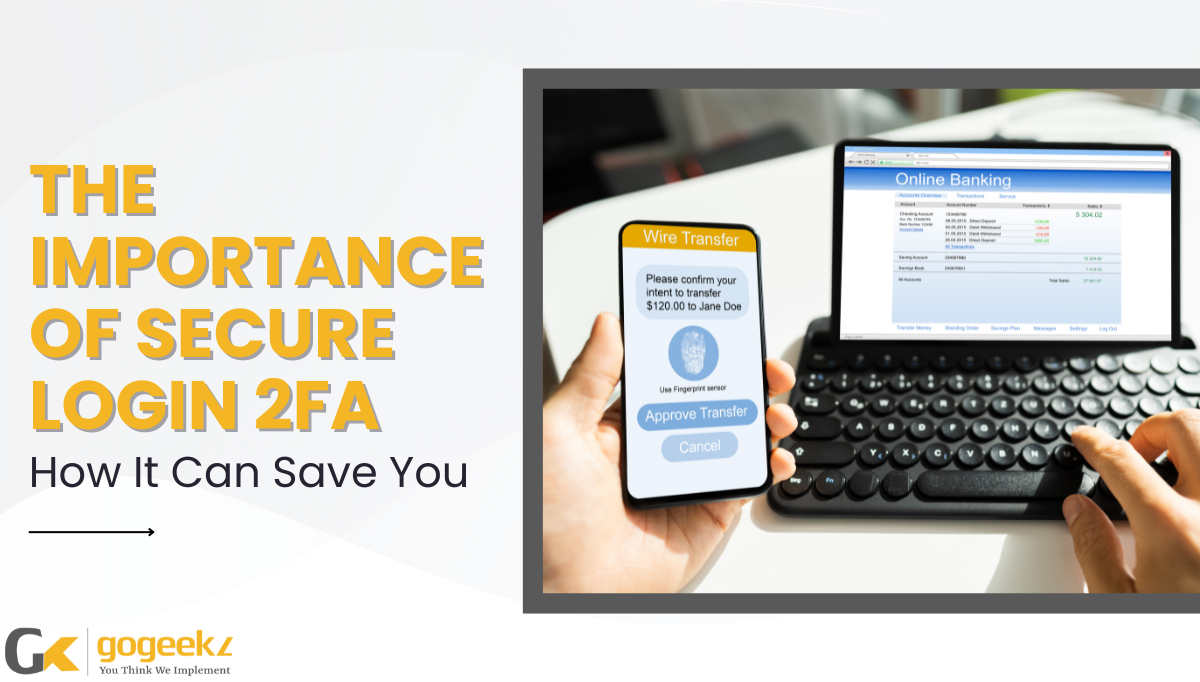
Two-Factor Authentication (2FA) requires users to verify their identity through two separate factors before gaining access to an account or system. The three possible factor types are:
- Something you know: a password or PIN
- Something you have: a smartphone, hardware token, or authentication app
- Something you are: a fingerprint, facial recognition, or other biometric
Standard 2FA combines the first two factors. Even if an attacker steals your password through phishing, a data breach, or credential stuffing, they cannot access your account without also possessing your physical device or token.
Why Passwords Alone Are No Longer Sufficient
The threat landscape has evolved dramatically. Here’s why password-only authentication fails Canadian businesses in 2026:
- Credential stuffing attacks: Automated tools test billions of stolen username/password combinations against business systems every day.
- Phishing campaigns: Sophisticated phishing emails trick employees into entering credentials on convincing fake login pages — and attackers are now using AI to make these more convincing than ever.
- Data breaches: When a third-party service your employees use is breached, those credentials are often reused on corporate systems. Over 16 billion credentials are available on the dark web today.
Under PIPEDA, Canadian businesses have an obligation to protect personal information using appropriate security safeguards. 2FA is now widely considered a baseline requirement — not an advanced control.
How 2FA Works in Practice
The 2FA login flow for a Toronto accounting firm using Microsoft 365 looks like this:
Step 1: The user enters their email address and password as normal.
Step 2: Microsoft 365 prompts for a second factor — typically a code from the Microsoft Authenticator app or an SMS to a registered phone number.
Step 3: The user approves the login in the Authenticator app or enters the SMS code.
Step 4: Access is granted. If the login attempt came from an attacker who had stolen the password, Step 2 blocks them — they don’t have the user’s phone.
2FA vs MFA: What’s the Difference?
2FA (Two-Factor Authentication) uses exactly two verification factors. MFA (Multi-Factor Authentication) is the broader category and can require three or more factors. For most SMBs, 2FA provides excellent protection. Organizations in regulated sectors — healthcare, legal, financial services — should consider full MFA with conditional access policies based on user role, device compliance, and network location.
Recommended 2FA Methods for GTA Businesses
- Microsoft Authenticator: Best choice for Microsoft 365 environments — integrates natively with Azure AD and supports number-matching to prevent push bombing attacks.
- Google Authenticator / Authy: Good for multi-platform use and TOTP (Time-based One-Time Password) code generation.
- Hardware tokens (YubiKey): The most secure option — phishing-resistant and required for high-privilege accounts in regulated environments.
- SMS codes: Better than no 2FA, but vulnerable to SIM-swapping attacks. Not recommended as a sole second factor for business-critical systems.
Frequently Asked Questions: 2FA for Toronto Businesses
Q: Is 2FA required for PIPEDA compliance?
PIPEDA does not explicitly mandate 2FA by name, but it requires “appropriate security safeguards” proportional to the sensitivity of the information held. Canada’s Office of the Privacy Commissioner has indicated in several breach investigations that the absence of MFA on systems containing personal information can constitute a failure to implement appropriate safeguards. For most Toronto businesses, 2FA on email, cloud applications, and remote access should be considered mandatory.
Q: How do we roll out 2FA across our team without disrupting productivity?
The key is a phased rollout with proper communication and training. GoGeekz recommends: (1) Deploy 2FA to IT admin accounts first, (2) Extend to all users with access to sensitive data, (3) Enforce for all remote access and cloud applications. Authenticator apps add only 5–10 seconds to the login process — the disruption is minimal compared to the protection delivered.
Q: Can 2FA stop phishing attacks?
Standard 2FA stops most phishing attacks because the attacker would need both your password and your phone. However, sophisticated “adversary-in-the-middle” phishing attacks can bypass TOTP-based 2FA in real time. For the highest-security accounts (domain admins, financial systems), hardware tokens like YubiKey provide phishing-resistant authentication that cannot be bypassed this way.
Get 2FA Deployed Across Your Organization
GoGeekz provides end-to-end 2FA and MFA deployment for Toronto and GTA businesses — including Microsoft Authenticator setup, Azure AD Conditional Access configuration, user training, and ongoing management. We help you protect every account, every application, and every employee without disrupting your team’s workflow.
Book a free security consultation to get 2FA deployed across your business this week.